
Uruchamianie procesu z poziomu elementu listy SharePoint
W tym artykule pokazujemy w jaki sposób przy elemencie listy SharePoint możesz zamieścić odnośnik, który uruchamia Twój proces Power Automate.

1. Na liście utwórz nową kolumnę, typu tekst
2. Wpisz dowolną nazwę kolumny, np. Wyślij info
3. Przejdź do Ustawień kolumny i wybierz opcję Formatuj tę kolumnę
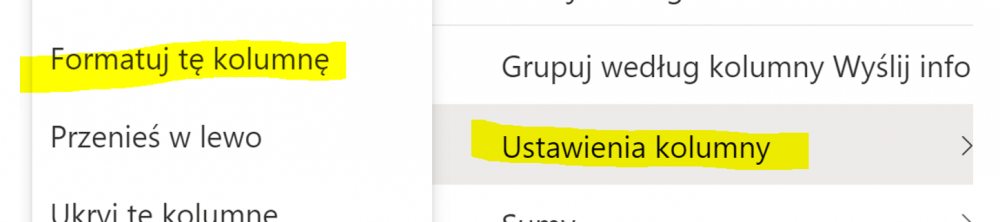
4. W panelu formatowania przejdź do trybu zaawansowanego i zmień zawartość pola na poniższy tekst
{
    "$schema": "https://developer.microsoft.com/json-schemas/sp/v2/column-formatting.schema.json",
    "elmType": "button",
    "customRowAction": {
        "action": "executeFlow",
        "actionParams": "{\"id\": \"26f2326d-8df1-4df0-a2f3-ff19e73c2d98\"}"
    },
    "attributes": {
        "class": "ms-fontColor-themePrimary ms-fontColor-themeDarker--hover"
    },
    "style": {
        "border": "none",
        "background-color": "transparent",
        "cursor": "pointer"
    },
    "children": [{
        "elmType": "span",
        "attributes": {
            "iconName": "Mail"
        },
        "style": {
            "padding-right": "16px"
        }
    }]
}
5. W linii actionParams zamień na ID Twojego procesu, które znajdziesz w adresie URL na stronie procesu
